# Creating a Redline Analysis
## Selecting documents
You can choose multiple files to create your Redline Analysis from.
{% stepper %}
{% step %}
[Upload the file(s)](https://jurisphere.gitbook.io/jurisphere-guide/file-upload-and-management/your-files-and-documents/uploading-files-and-folders) that you want to use, and select them from the [Folder pane](https://jurisphere.gitbook.io/jurisphere-guide/file-upload-and-management/your-files-and-documents/uploading-files-and-folders#open-your-folders-pane) on the left.
{% hint style="info" %}
Only marked-up PDFs (.pdf) and Word Documents (.docx format) are acceptable for Redline Analysis.
{% endhint %}
{% endstep %}
{% step %}
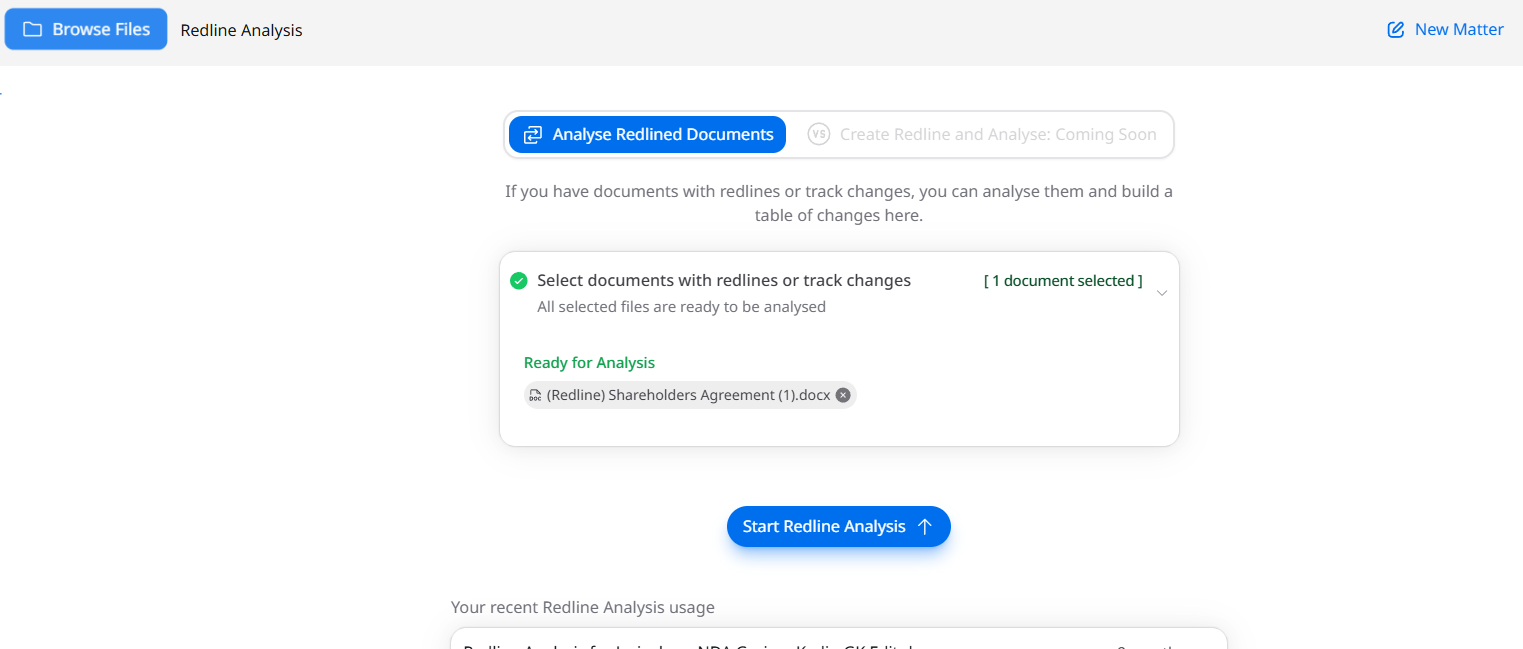
You can see the selected document(s) on the main pane on the right, in the "Ready for Analysis" area.
{% endstep %}
{% step %}
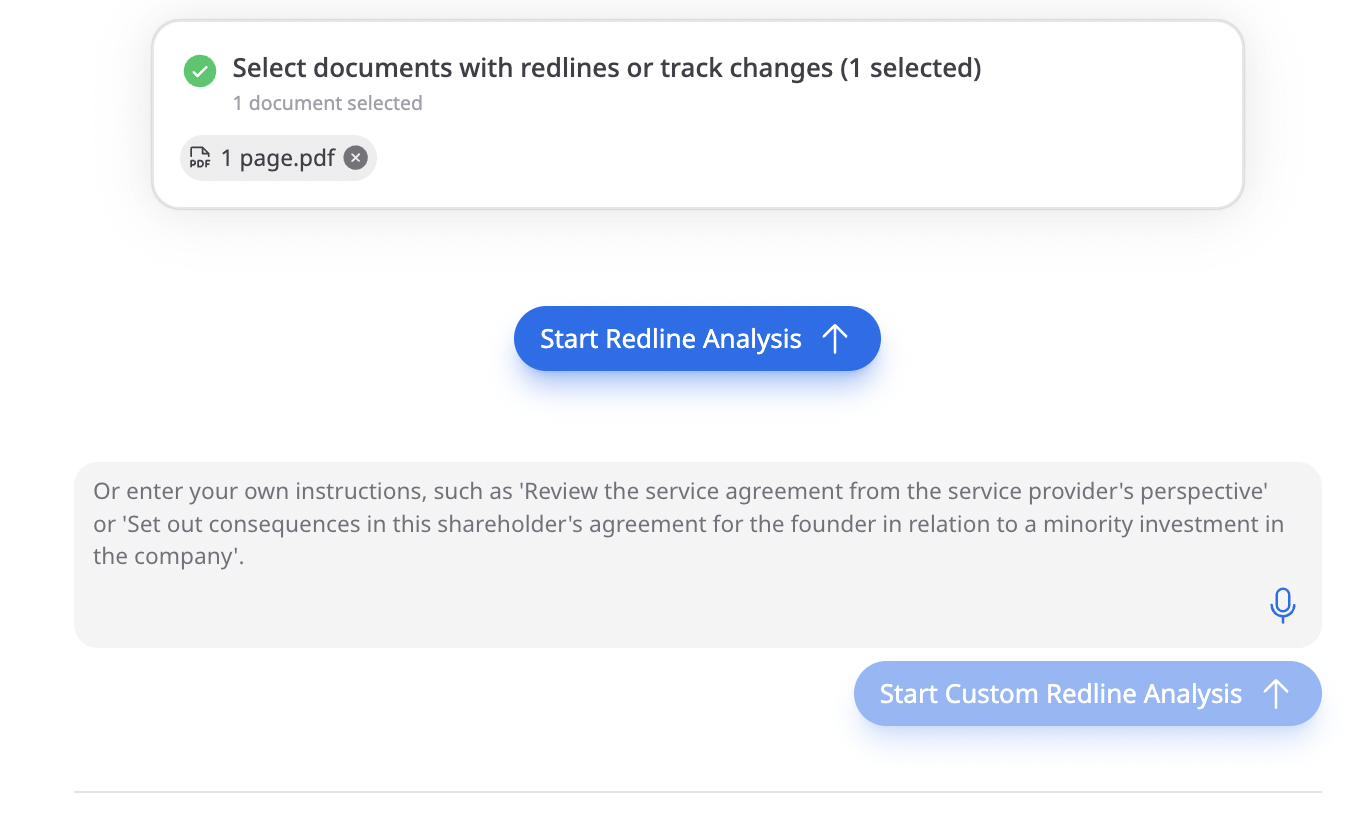
Add context (optional)
You can add **custom instructions** to guide the analysis, for example, asking the tool to highlight specific risk areas, focus on certain clauses, or flag deviations from your standard templates.
These instructions shape the tool’s output so the generated issues list is tailored to your review strategy.
{% endstep %}
{% step %}
Click the "**Start Redline Analysis**" button to begin the analysis.
{% endstep %}
{% endstepper %}
{% hint style="info" %}
**Redline Analysis is a background process.**
This means that you can exit the page while your Redline Analysis is being prepared. You may navigate to another webpage or close the window entirely. A notification will pop up on the top right hand corner once this task is completed.
{% endhint %}